
300 FS + AU$11,000 Bonus + 20% Daily Cashback
Welcome Package
Neospin App — Play Casino Games Anywhere
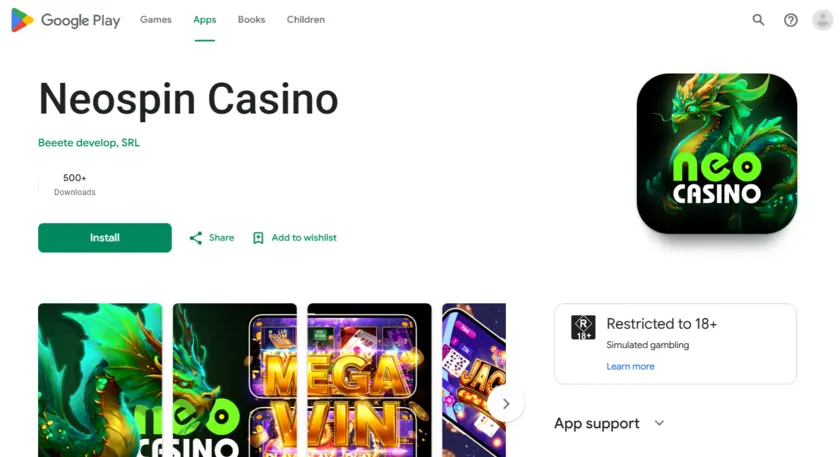
Playing a full casino from your phone used to mean clunky pages, broken layouts, and sessions that dropped whenever your signal wobbled. We built our mobile experience differently. The Neospin app runs as a Progressive Web App (PWA), meaning you get a native-feeling icon on your home screen, instant load times, and access to all 5,000+ games — without ever touching an app store. Australian players on AUD are fully supported from the first tap.
Why the Installed Version Beats Playing in a Browser Tab
Opening a casino in a browser tab feels fine until it doesn’t — the address bar eats screen space, your phone asks to reload the page when you switch apps, and push notifications never arrive. Our installed PWA solves all three problems at once. The Neospin casino app removes the browser chrome entirely, giving you a full-screen experience that behaves like any native app on your device.
Sessions persist when you alt-tab, the layout adjusts automatically to portrait or landscape, and logging back in via Google takes one tap. You can head to our Neospin casino homepage and start the install from any modern browser — no sideloading, no permissions gymnastics required.
What you keep when you install versus browsing directly:
- Persistent login so you are never kicked back to the sign-in screen mid-session
- Full-screen display with no browser address bar consuming play space
- Faster subsequent loads because assets are cached on your device
- Access to the complete game lobby including Live Casino and Originals
The Neospin casino app Australia players use is identical in content to the desktop site — every promotion, every payment method, and every loyalty point carries across without compromise.
How to Install on Android, iPhone, Mac, and Windows
The install takes under a minute on every platform. There is no separate Neospin app download file to hunt for — everything runs directly through your browser of choice. If you ever find our main domain temporarily unreachable, our mirror link for app access lets you complete the installation from an alternate URL without losing progress. Here is how each platform works:
| Platform | Browser | Steps |
|---|---|---|
| Android | Chrome | Three-dot menu → Install app → Install |
| iOS | Safari | Share button → Add to Home Screen |
| Mac | Chrome | Install icon in address bar → Install |
| Windows | Chrome | Three-dot menu → Install NEOSPIN Casino → Install |
For Neospin casino app for android users, the Chrome prompt usually appears automatically after a few seconds on site — you can also trigger it manually via the three-dot menu. The Neospin android mobile casino install creates a standalone shortcut that opens outside Chrome’s UI entirely.
Setting up on an iPhone is just as straightforward. The Neospin casino app for iphone installs through Safari’s native Share sheet — tap the Share icon at the bottom of the screen, scroll to “Add to Home Screen”, and confirm. The icon appears on your home screen immediately, and the next launch skips the browser entirely.
Steps common to every platform after installation:
- Open the app icon from your home screen or desktop
- Sign in with your existing email and password, or tap Google Sign-In
- Select AUD as your currency if prompted during first launch
- Navigate using the bottom menu: Lobby, Pokies, Live Casino, Jackpots, Originals
Neospin casino app download is therefore always current — because the PWA pulls the latest version automatically each session, you will never be stuck on an outdated build.
How Games Perform on Your Phone
Mobile rendering is where most casinos quietly disappoint — titles that look sharp on desktop turn into stuttering slideshows the moment you drop to 4G. Our Neospin mobile app is built around HTML5 game engines from providers who optimise for mobile first, so performance holds up even on mid-range handsets.
The pokie catalogue translates especially well to touchscreens. Spin buttons are generously sized, the autoplay controls sit in easy thumb reach, and games like Buffalo Trail (Gamebeat) and Coin Strike 2: Hold and Win (Playson) render at crisp resolution on both OLED and LCD panels. For Australian players who prefer real-money pokie sessions on the go, our mobile pokies real money catalogue covers the full range of themes and volatility profiles — from penny-stake sessions to high-limit spins.
Top mobile-optimised titles worth loading first:
- Snoop Dogg Dollars by Bamna — bold visuals that load fast on 4G
- Only Coins Express by Gamzix — minimal animation overhead, ideal for slower connections
- Chicken Road 2.0 (Originals by InOut) — crash-style mechanic built natively for touch
- Auto Roulette 500X by Winfinity — live stream quality holds at 720p on average mobile data
Live Casino tables stream at consistent quality thanks to Imaginelive, Beterlive, and Livevegas feeds. VIP Blackjack 3 and Grand Bonus Baccarat both run without lag on modern smartphones connected to Wi-Fi or a stable 5G signal.
Depositing and Withdrawing Straight From Your Phone
Nobody wants to boot up a laptop just to top up their balance. Every payment method we support works identically on mobile — no features are locked to desktop. Neospin mobile banking covers Visa and Mastercard (min AUD 30, instant, zero fee), plus a full suite of cryptocurrencies including BTC, ETH, USDT, LTC, and DOGE. Crypto deposits clear instantly regardless of network conditions. Here is how fiat and crypto withdrawals compare when requested from your phone:
| Method | Fee | Processing Time | Min Withdrawal |
|---|---|---|---|
| Bank Transfer | 2.5% | 1–3 banking days | AUD 300 |
| BTC | Free | Instant | 0.0012 BTC |
| ETH | Free | Instant | 0.02 ETH |
| USDT | Free | Instant | 30 USDT |
| LTC | Free | Instant | 0.46 LTC |
Daily AUD withdrawal limits sit at AUD 6,000, with a monthly cap of AUD 45,000. Progressive jackpot wins are paid in full and are not subject to those limits. Our 24/7 support team is reachable via live chat directly inside the mobile interface — no need to switch to a desktop browser to raise a withdrawal query or submit KYC documents.
Frequently Asked Questions About Our Mobile Experience
Is there a dedicated APK file I need to download to use the app?
No separate file is required. Our PWA installs directly from the browser — on Android via Chrome’s Install prompt, and on iOS via Safari’s Share sheet. There is no APK download, no side-loading, and no app store approval process to wait through. The install completes in under sixty seconds and the icon behaves like any native app on your home screen.
Do all bonuses and promotions work on mobile?
Every promotion available on desktop is fully accessible through the mobile interface. That includes our Welcome Package worth up to AU$11,000 + 300 Free Spins across four deposits, the Wednesday Free Spins offer (up to 100 FS with promo code WN100), and the Weekend Reload Bonus of 66% up to AU$1,000 using code 66NEO. Promo codes are entered during the deposit flow, which works identically on phones and tablets.
Can I complete KYC verification from my phone?
Yes — our verification process is entirely mobile-compatible. You can photograph your government-issued ID (passport or driver’s licence), your proof of address (utility bill or bank statement), and your payment method document using your phone camera and upload them directly within the cashier section. Completing verification promptly ensures your withdrawal requests are processed without delay, as pending KYC will hold any payout until documents are reviewed.